See Vensa on a Real Store
Pick a platform below and explore a real storefront with Vensa AI Virtual Try-On installed. Click any product, upload a photo, and experience exactly what your customers will see.
WooCommerce Demo Store
See Vensa running on a real WordPress store. Explore the storefront your customers will see, or jump into the admin to see how the plugin is configured.
Magento Demo Store
See Vensa running on a real Magento / Adobe Commerce store. Explore the storefront your customers will see, or jump into the admin to see how the plugin is configured.
Using Shopify? Install from the Shopify App Store →
Quick Preview: Before & After
Drag the slider to compare before and after. This is exactly what your customers will experience on your store.



How It Works
Three simple steps. No coding needed. Your customers go from browsing to buying with confidence.
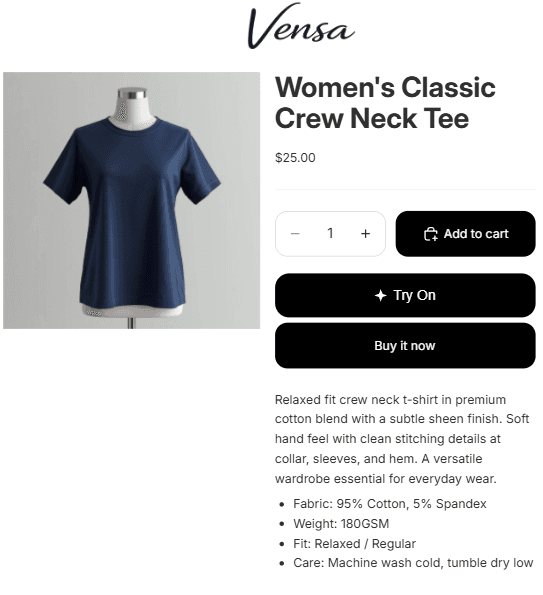
Customer clicks Try On
A try-on button appears on your product page. Customers click it and upload a photo of themselves.
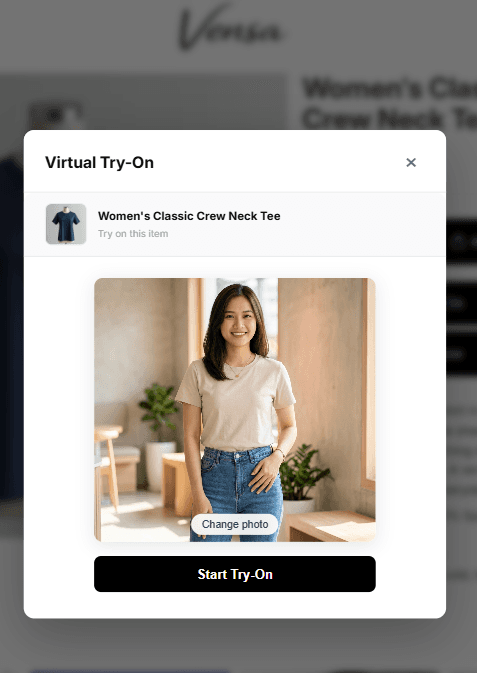
AI generates the result
Google Vertex AI processes the photo and product image in under 15 seconds to create a realistic composite.
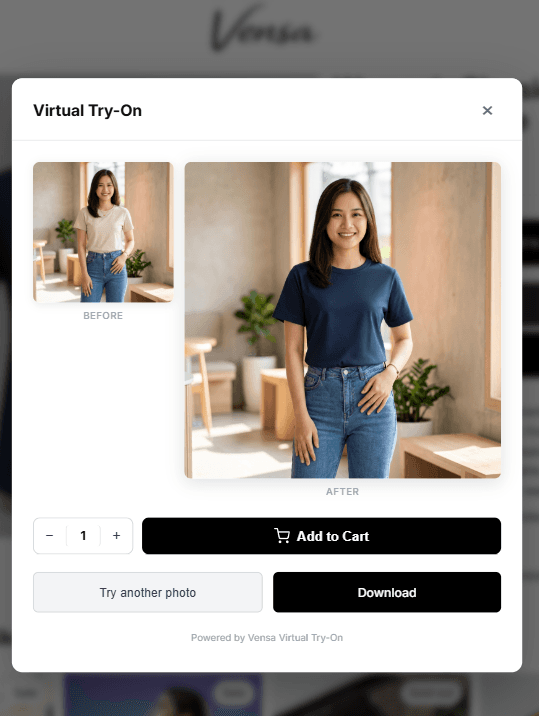
Customer buys with confidence
The customer sees how the product looks on them, compares before and after, and buys with confidence.